Every subscription you pay for,
finally visible
Add them up once and the number is usually higher than you'd guess.
Hidden Spend keeps the running total, tells you what renews next,
and shows where the money actually goes.
No account. No email. Just open it and start.
The ones that quietly renew
Netflix
Spotify
iCloud
Disney+
Adobe Creative Cloud
Amazon Prime
YouTube Premium
Notion
Dropbox
PlayStation Plus
Netflix
Spotify
iCloud
Disney+
Adobe Creative Cloud
Amazon Prime
YouTube Premium
Notion
Dropbox
PlayStation Plus
Netflix
Spotify
iCloud
Disney+
Adobe Creative Cloud
Amazon Prime
YouTube Premium
Notion
Dropbox
PlayStation Plus
Netflix
Spotify
iCloud
Disney+
Adobe Creative Cloud
Amazon Prime
YouTube Premium
Notion
Dropbox
PlayStation Plus
What it does
Every subscription, in one place
The ones you stopped using look exactly like the ones you still love.
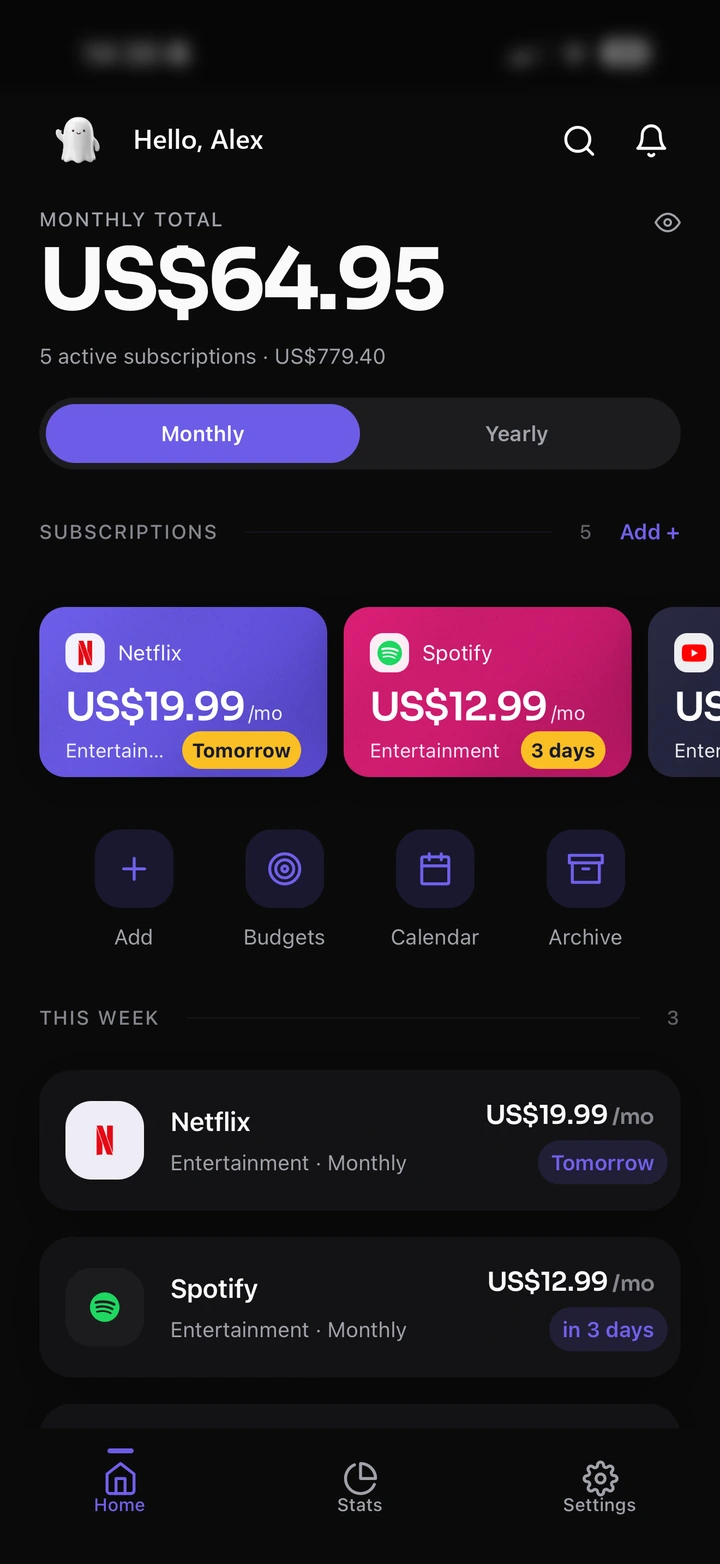
One running total
Monthly and yearly, updated as you type.
Price rises, on the record
Change a price and the old one is kept.
Cancel without erasing
Archived subscriptions keep their history.
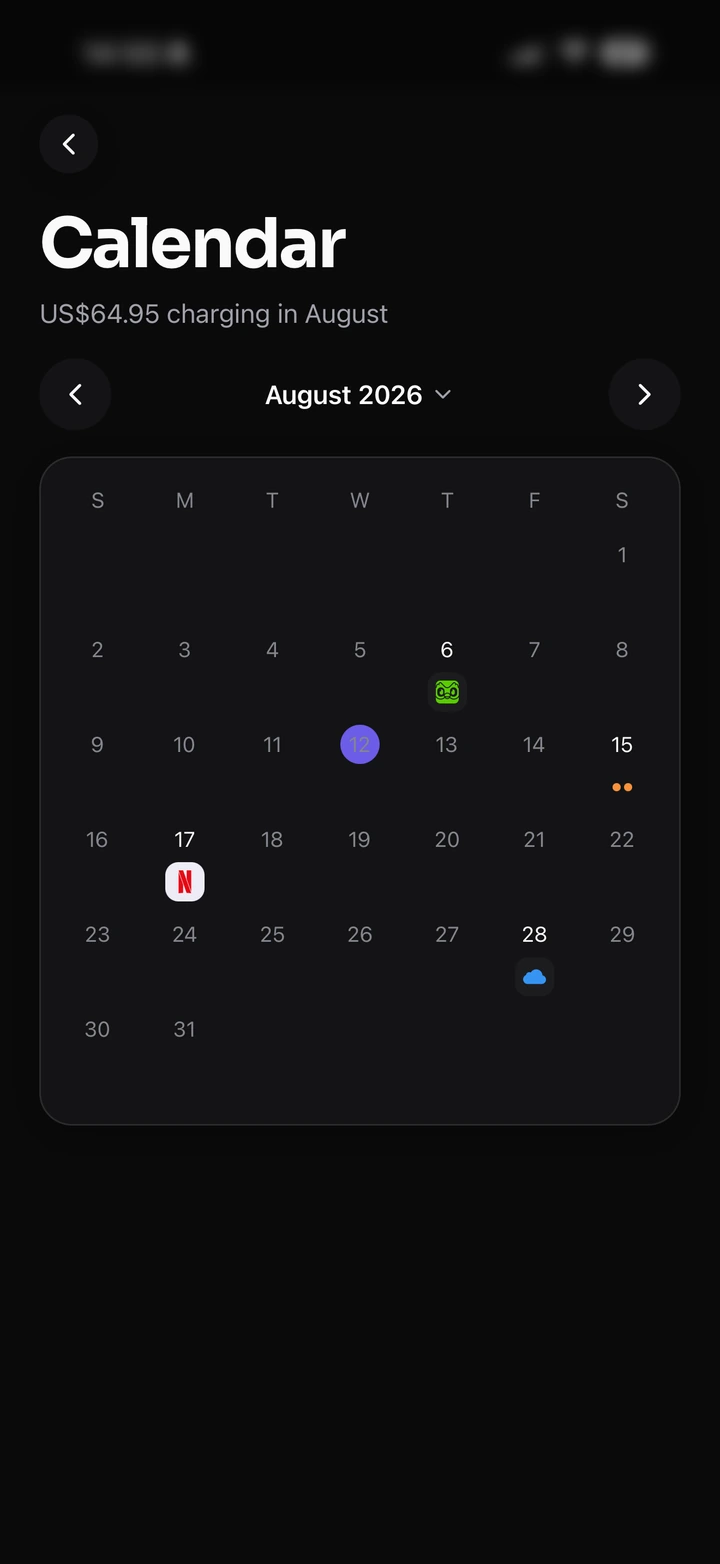
Know what's charging next
Every upcoming renewal on one calendar.
Locked behind Face ID
Apple handles it on-device. We never see it.
Yours to take away
CSV in, CSV out. No lock-in.
See it for yourself
Three screens, no demo needed
Straight from the app, not a mockup.
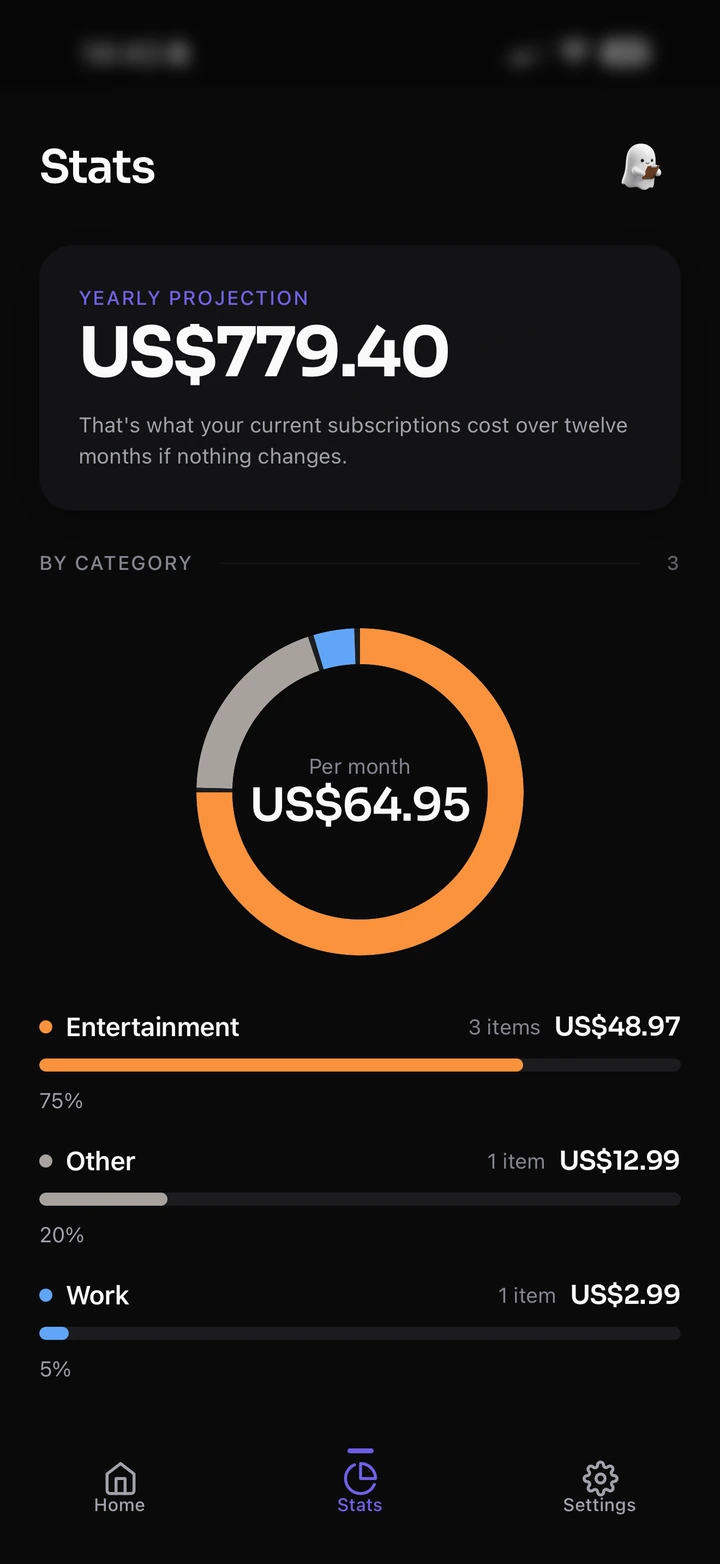
See where it goes
A category breakdown and a yearly projection, from the numbers you already entered.
Never miss a renewal
Every charge this month on one grid, so nothing arrives as a surprise.
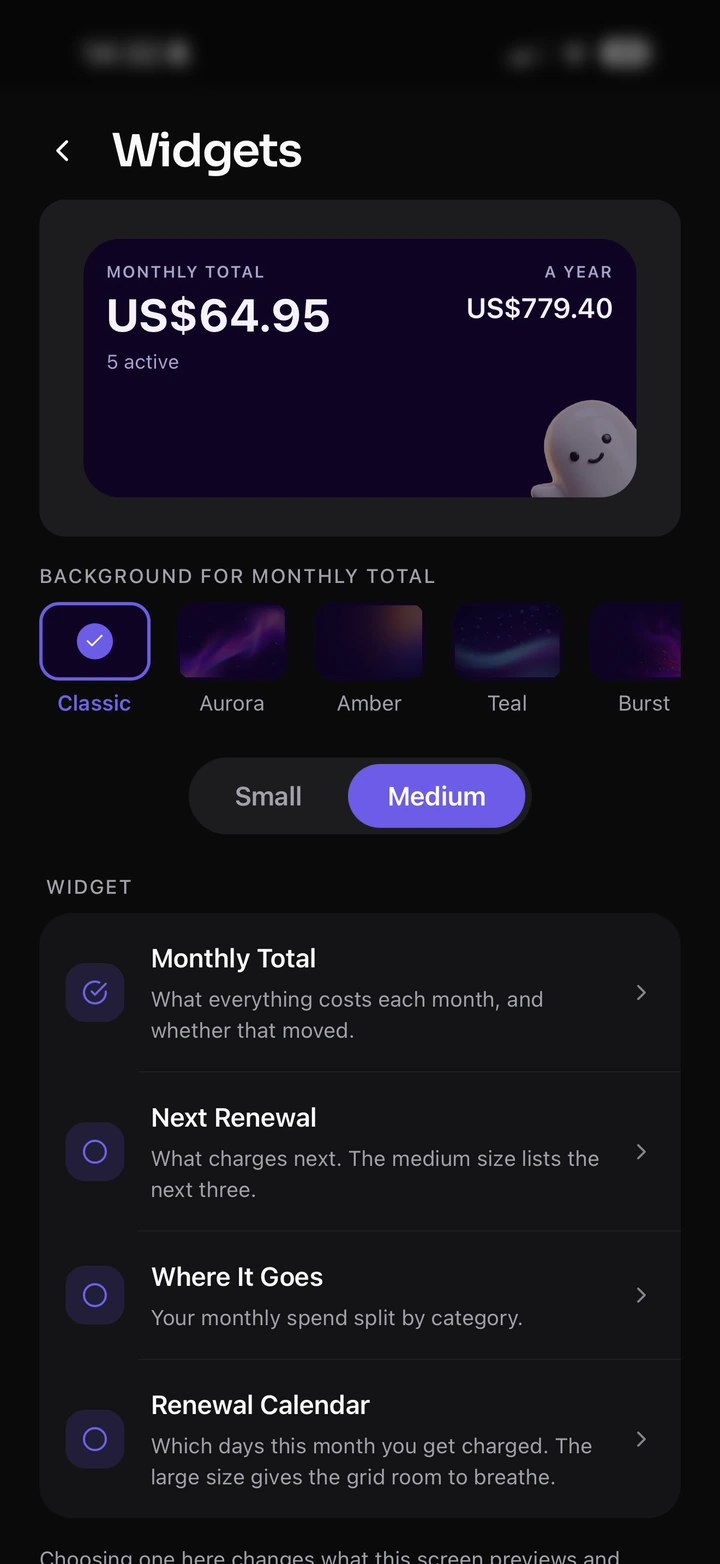
Keep it on your Home Screen
Four widgets, five backgrounds, two sizes — the total is there without opening anything.
Questions
The ones people ask first
Does it connect to my bank?
No. There is no bank or card linking at all — you type each subscription in yourself.
Can it cancel subscriptions for me?
No, and it won't pretend to. It reminds you before a renewal; you cancel with the provider.
Where's my data?
On your phone. No server of ours holds it, and the only copy that leaves your device is your own iCloud backup.
Can I export my data?
Yes, as a CSV, whenever you like. Your data is yours to take out at
any time.
Do I need an account?
No. No sign-up, no email, no password — open the app and start typing.
Does it work offline?
Yes. The only thing that needs a connection is fetching currency rates,
and that is just for multi-currency totals.

 For people who hate surprise charges